
Last Updated on March 23, 2026
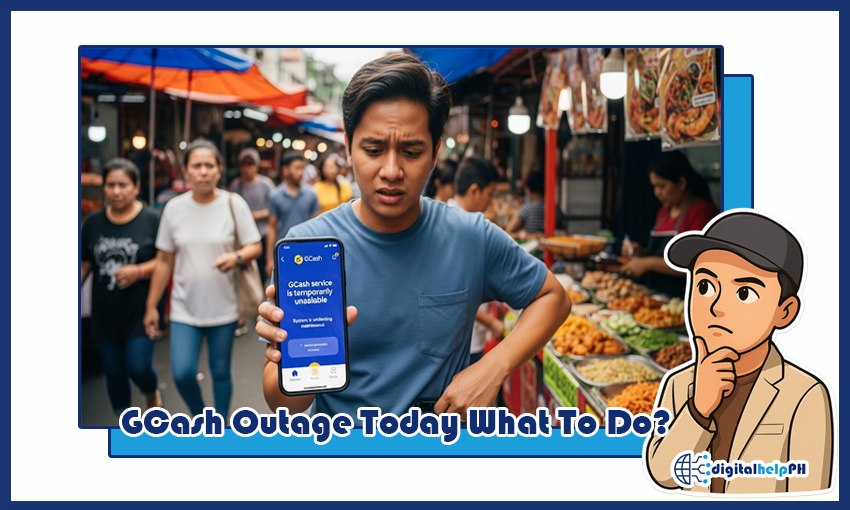
Nakakabigla, ‘di ba? You’re right in the middle of paying for groceries, sending money to a family member, or settling a bill – then the GCash app just stops working. A blank screen. An error message. That dreaded “Something went wrong” note. Your first thought? “Is my money safe?” Then almost immediately: “Is there a GCash issue today, or is it just me?”
That moment of being cut off from your own money – even briefly – is genuinely stressful. And if you’ve been there, you know exactly how it feels.
Here’s the thing: GCash is now a daily essential for millions of Filipinos. So when it goes down, it’s not just an inconvenience – it affects everyone. Searches like “GCash outage today what to do” spike every time there’s a disruption. And while a GCash problem today is almost always temporary, knowing what steps to take makes a huge difference.
This guide breaks it all down – from confirming if there’s a real outage to protecting your pending transactions and having a solid backup plan. Let’s get into it.
Key Takeaways:
- First Step: Check if there is a GCash issue today.
- Don’t Panic: Your funds are safe.
- Troubleshoot: It might be your own connection.
- Be Patient: Most outages are brief.
- Have a Backup: Use another e-wallet or bank.
Contents
- 1 Step 1: Confirming the GCash Issue (Is It Just You?)
- 2 Step 2: Don’t Panic! Your Money Is Safe
- 3 Step 3: What to Do with Your GCash App Right Now
- 4 Step 4: Managing Your Transactions During an Outage
- 5 Step 5: How to Be Proactive and Ready for the Next Outage
- 6 Frequently Asked Questions (FAQs) About a GCash Issue Today
- 7 Conclusion: Navigating Issues with Confidence
Step 1: Confirming the GCash Issue (Is It Just You?)
Before assuming the worst, figure out if it’s a widespread GCash downtime situation or something isolated to your device. These two scenarios call for completely different responses – so don’t skip this step.
1.1. Check Official GCash Social Media Pages
This is honestly the fastest way to get an answer. GCash regularly posts updates about scheduled maintenance or unexpected service interruptions on their official social media accounts. A quick search for “GCash down” on Facebook or X (formerly Twitter) can tell you a lot in seconds.
- Head to GCash’s official Facebook and X pages.
- Look for any recent announcements about system maintenance or service interruptions.
- Scroll through the comments on their latest posts – if a lot of people are reporting the same GCash issue today, that’s a pretty clear sign it’s widespread.
1.2. Look for News from Reputable Sources
When there’s a major GCash issue today Philippines-wide, local news outlets like ABS-CBN News, Rappler, and Inquirer usually pick it up quickly. A simple Google search for “is GCash temporarily unavailable today” or “GCash under maintenance” can point you to the latest reports from reliable sources.
Step 2: Don’t Panic! Your Money Is Safe
Seriously – take a breath. This is the most important thing to remember during any GCash downtime.
When the app isn’t working, it just means GCash’s servers are temporarily offline or undergoing fixes. Your money hasn’t gone anywhere. It’s not stored on your phone – it’s kept securely on GCash’s servers. The moment things are back up, your balance will be right where you left it.
So the next time you’re wondering what happened to GCash today, know that your funds are safe. The panic is understandable, but it’s not necessary.
Step 3: What to Do with Your GCash App Right Now
While the GCash team works on their end, there are a few quick things you can try on your side – especially if you’re not 100% sure it’s a system-wide problem.
- Check Your Internet Connection: Sounds basic, but a weak or unstable connection is often the real culprit. Try switching from Wi-Fi to mobile data (or the other way around) and see if that makes a difference.
- Force Close and Re-Open the App: Completely close GCash, wait a few seconds, then reopen it. This clears minor glitches that sometimes cause the app to freeze or show errors.
- Check for App Updates: An outdated version of the app can sometimes cause compatibility issues. Check the Google Play Store or Apple App Store for any pending updates.
- Clear App Cache: If you’re on Android, go to Settings, find the GCash app, and clear the cache. This can fix minor data issues that contribute to a GCash issue today.
Step 4: Managing Your Transactions During an Outage
Now for the part that makes most people nervous – what about the transactions you were in the middle of? Here’s what you need to know.
4.1. Pending Transactions During a System Outage
If a transaction was in progress when the GCash temporarily unavailable today situation hit, it’s likely sitting in a “pending” or “floating” state. Don’t worry – the funds are usually safe. Once the system is restored, the transaction will either push through or be automatically reversed back to your wallet. This typically takes a few hours, though in some cases it can take up to 24 to 48 hours.
4.2. Alternatives for Urgent Payments
When GCash today just isn’t cooperating and you have an urgent payment to make, you need a Plan B. Here are your options:
- Other E-wallets: Maya and ShopeePay are both solid alternatives for payments and transfers in the Philippines.
- Online Banking: If you have a bank account with a digital app, you can transfer funds through InstaPay or PESONet – these are usually unaffected by a GCash-specific outage.
- Over-the-Counter Payments: When digital options aren’t available, you can always head to the nearest payment center or convenience store to pay in cash.
Step 5: How to Be Proactive and Ready for the Next Outage
Every outage is a reminder that no single app should be your only financial lifeline. If you’ve ever found yourself stuck asking “is GCash under maintenance today” with no backup plan, now’s the time to fix that.
- Set Up a Backup E-Wallet: Install and verify Maya. Keep a small emergency balance there so you’re never completely locked out of digital payments.
- Have a Bank Account with a Digital App: A reliable online banking app gives you another way to send money, pay bills, and manage finances when your primary e-wallet is down.
- Keep Some Cash on Hand: It’s old school, but it works. Not every situation can be handled digitally – having physical cash ready for emergencies is just smart.
Frequently Asked Questions (FAQs) About a GCash Issue Today
Here are answers to the questions people ask most when there’s a GCash issue today.
Is my money safe during a GCash outage?
Yes, absolutely. Your funds aren’t stored on your phone – they’re kept securely on GCash’s servers. A GCash downtime just means the servers are temporarily inaccessible. Once things are back up, your balance will be exactly where it should be.
How long does a GCash outage usually last?
Most of the time, outages are short – anywhere from a few minutes to a couple of hours. Unscheduled ones can be harder to predict, but GCash’s team typically resolves them as fast as possible. Their official social media pages are your best source for real-time updates when you’re wondering “is GCash temporarily unavailable today.”
What happens to my transaction if it was “pending” during the outage?
If your transaction was in a “pending” state when the outage hit, the funds are generally safe. It’ll either go through once the system is restored or get automatically reversed to your GCash wallet. The process is automated and usually takes a few hours, though it can sometimes stretch to a few days.
Can I still cash in or cash out during an outage?
Generally, no. During a system-wide outage, all GCash services are affected – cashing in, cashing out, sending money, paying bills. It’s best to wait for an official announcement that things are back to normal before trying again.
Should I contact GCash support immediately?
Not usually. When it’s a widespread GCash problem today, the team already knows and is working on it. Flooding their support channels just makes it harder for people with specific account issues to get help. Check their social media first – that’s where official updates will show up.
A GCash issue today is frustrating – no question about it. But it’s also manageable. These things are almost always temporary, your money is secure, and with the right backup plan, you can get through it without too much hassle.
Being digitally savvy in the Philippines isn’t just about knowing how to use apps like GCash – it’s about knowing what to do when they don’t work. The next time you see signs of a GCash under maintenance situation or people asking “what happened to GCash today,” you’ll already know the drill.
Did this guide help? Drop a comment below! And for more guides on e-wallets, digital banks, and online government services, stick around – we’ve got you covered.
