
Last Updated on March 20, 2026
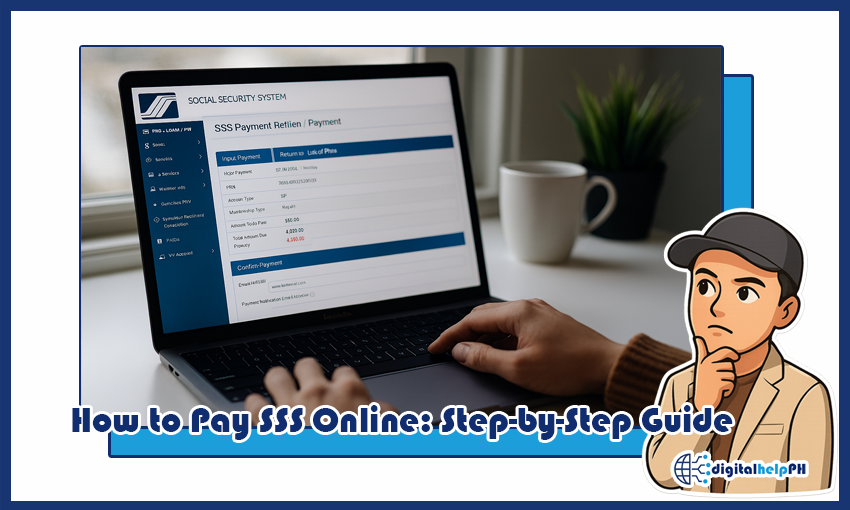
Learning how to pay SSS online in the Philippines can save you time, avoid long queues, and make managing your contributions or loans much easier. Whether you’re a regular employee, self-employed, OFW, or paying a loan, this guide walks you through the latest 2025 updates, step-by-step instructions, and all available online payment channels.
By the end of this guide, you’ll know exactly how to pay your SSS online quickly, securely, and correctly, without the usual confusion or delays.
Key Takeaways:
- SSS payments can be done online via My.SSS, GCash, Maya, banks, or ShopeePay.
- Generating a PRN (Payment Reference Number) is required before paying contributions or loans.
- Contribution and loan payments have slightly different processes.
- Always check payment confirmation and keep screenshots for proof.
- Common errors include failed payments or PRN not recognized; troubleshooting is straightforward.
Contents
Understanding SSS Payments
Before you go through the steps on how to pay SSS online, it helps to understand the different types of payments and why a PRN (Payment Reference Number) is required. This knowledge makes the whole process smoother and avoids unnecessary mistakes.
Types of SSS Payments
- Contribution Payments: Regular monthly contributions for employees, self-employed, OFWs, and non-working spouses. This keeps your SSS membership active and ensures you can claim benefits later.
- Loan Payments: If you have an SSS salary loan, calamity loan, or emergency loan, you need to pay your monthly amortizations online.
- Penalty or Miscellaneous Payments: Occasionally, members may need to settle penalties or other charges, which can also be paid online.
What is a PRN and Why It’s Needed?
A PRN (Payment Reference Number) is a unique code generated in your My.SSS account or SSS App before making any payment. It tells the system exactly what you are paying for and ensures that your payment is correctly applied to your account.
For example, if you are paying your monthly contribution for June 2025, the PRN ensures that SSS credits that payment to the correct month and your membership record. Without a PRN, your payment may not be recognized, causing delays or errors.
- PRNs can be generated via My.SSS website or the SSS mobile app.
- We Filipinos can pay through multiple channels: GCash, Maya, BPI, Metrobank, and now ShopeePay (newly added in 2025).
- Keep a screenshot of your PRN and confirmation receipt as proof, as SSS may request it in case of any issues.
Now that we understand the types of payments and the role of the PRN, let’s move on to the step-by-step process for paying your SSS contribution online.
How to Pay SSS Online Contribution Step-by-Step
Paying your SSS contribution online is now easier and more convenient than going to a physical branch. Here’s the complete step-by-step guide for 2025, including the latest payment channels available to us.
Step 1: Log in to My.SSS or SSS Mobile App
- Visit My.SSS website or open the SSS mobile app on your smartphone.
- Enter your user ID and password. If you haven’t registered yet, you’ll need to create an account first.
- Once logged in, go to the Contributions tab.
Step 2: Generate Your PRN (Payment Reference Number)
- Click on Generate PRN for your contribution payment.
- Select the type of membership (employed, self-employed, OFW, non-working spouse).
- Choose the month and year of your payment (e.g., June 2025).
- Once done, the system will display a unique PRN. Keep this number handy – it is required for all payment channels.
Step 3: Choose Your Payment Channel
You have several convenient options in 2025:
- GCash: Open your GCash app, go to Pay Bills → Government → SSS, and enter your PRN. Confirm the amount and complete the payment.
- Maya: In the Maya app, select Pay Bills → SSS, enter the PRN, review the details, and pay.
- Banks (BPI, Metrobank, etc.): Log in to your online banking, choose Pay Bills → SSS, enter your PRN and payment amount.
- ShopeePay: ShopeePay now supports SSS contributions. Open the app, select Pay Bills → Government → SSS, input PRN, and pay.
Step 4: Confirm Your Payment
- After completing the payment, take a screenshot or save the confirmation receipt.
- Check your My.SSS account after 1-2 business days to ensure the contribution reflects in your record.
Pro Tips
- Double-check the PRN before paying – entering the wrong number can delay processing.
- If you are an OFW, make sure your payment is aligned with your membership type.
- Some users report delayed confirmation from banks; always keep your receipt.
- Payment channels update periodically – check SSS official announcements for new partners or apps.
With these steps, your SSS contribution payment can be completed quickly and safely without visiting a branch.
How to Pay SSS Online Loan Step-by-Step
SSS loans, such as salary, calamity, or emergency loans, also have convenient online payment options. Paying your loan online ensures timely payment, avoids penalties, and keeps your records updated. Follow these simple steps:
Step 1: Identify Your Loan Type
- Log in to My.SSS or the SSS mobile app.
- Go to the Loans tab and select your active loan.
- Check your outstanding balance and monthly amortization amount.
Step 2: Generate Your PRN
- Click Generate PRN for your loan payment.
- Choose the payment month.
- Make sure to note the PRN exactly as shown – this ensures your payment is credited correctly.
Step 3: Choose Your Payment Channel
The payment channels are similar to contribution payments:
- GCash: Open the app → Pay Bills → Government → SSS → Enter PRN → Confirm payment.
- Maya: Pay Bills → SSS → Enter PRN → Review → Pay.
- Banks (BPI, Metrobank, etc.): Online banking → Pay Bills → SSS → Enter PRN and amount → Confirm.
- ShopeePay: Pay Bills → Government → SSS → Input PRN → Complete payment.
Step 4: Confirm Your Loan Payment
- After payment, take a screenshot or download your confirmation receipt.
- Check your My.SSS account to ensure your payment reflects correctly. It may take 1–2 business days, depending on the channel.
Tips for Loan Payments
- Always check the correct loan type and month before generating PRN.
- For OFWs, verify that your payment aligns with the approved loan schedule.
- If your online payment does not reflect, contact SSS immediately and provide your PRN and receipt.
- Some payment channels may experience delays during peak periods; always keep proof of payment.
Paying your SSS loan online is quick, convenient, and safe when you follow these steps carefully. Keeping your records updated prevents penalties and ensures your loan is properly credited.
Where to Pay SSS in the Philippines
In 2025, there are multiple channels where we can pay their SSS contributions or loans. Choosing the right channel depends on convenience, accessibility, and your membership type. Here’s an updated overview:
1. My.SSS Website
- Visit www.sss.gov.ph and log in.
- Generate PRN and pay via online banking or linked e-wallets.
- Best for members with internet access and who prefer desktop payment.
2. SSS Mobile App
- Available for iOS and Android.
- Login, generate PRN, and pay through GCash, Maya, or ShopeePay.
- Useful for members who prefer mobile convenience.
3. E-Wallets
- GCash: Pay Bills → Government → SSS → Enter PRN → Confirm.
- Maya: Pay Bills → SSS → Enter PRN → Review → Pay.
- ShopeePay: New in 2025. Pay Bills → Government → SSS → Input PRN → Confirm.
4. Online Banking
- Banks like BPI, Metrobank, and others accept SSS payments.
- Login to online banking → Pay Bills → SSS → Enter PRN → Confirm payment.
- Convenient for those who already use online banking regularly.
5. Physical Outlets (Optional)
- Branches and payment partners like Bayad Centers still exist for members who prefer in-person payments.
- Not required if paying online, but useful for those who encounter issues with digital channels.
Pro Tips
- Always double-check PRN and payment amount before confirming.
- Keep a screenshot or PDF of your payment confirmation.
- Some e-wallets may have minor transaction fees – check in advance.
- Payment channels may update or change; refer to SSS official announcements for latest info.
With these options, every member can easily learn how to pay SSS online and complete their contribution payments from home using whichever channel is most convenient.
Troubleshooting & Common Errors
Even when you already know how to pay SSS online, issues can still come up. Here’s how to handle the most common problems members encounter when processing their SSS payments online.
1. Payment Not Reflecting
- Sometimes, it may take 1–2 business days for your payment to show on My.SSS.
Tip: Keep a screenshot of your payment confirmation to show proof. - If the payment still doesn’t reflect after 3 days, contact SSS through their official channels.
2. PRN Errors
- Incorrect PRN entry is one of the most common mistakes.
- Always copy the PRN exactly as displayed – even one wrong digit can cause a failed transaction.
- If a PRN is invalid, generate a new one before paying.
3. App or Website Issues
- The My.SSS website or app may sometimes experience downtime or slow loading, especially during peak periods.
- PH Tip: Try logging in early in the morning or late at night to avoid congestion.
- Clear your app cache or use a browser alternative if problems persist.
4. Failed Payment via E-Wallets
- Occasionally, GCash, Maya, or ShopeePay transactions may fail due to low balance, connectivity, or app updates.
- Always double-check your account balance and update your app before paying.
- Keep the transaction receipt and contact the e-wallet’s support if needed.
5. Verification or Account Issues
- New My.SSS users may encounter verification delays.
Tip: Ensure your personal information matches official records to avoid PRN generation issues. - OFWs should also make sure their membership type and contribution type are correct before generating PRN.
Following these troubleshooting tips will help ensure that your online SSS payments go smoothly and avoid unnecessary delays or errors.
2025 Updates on How to Pay SSS Online
- ShopeePay is now accepted: Members can pay contributions and loans directly using ShopeePay.
- My.SSS App Improvements: Faster login, better PRN generation, and easier navigation for contributions and loan payments.
- GCash & Maya Enhancements: Both apps now have dedicated SSS payment sections with instant verification in most cases.
- Online Banking Updates: BPI, Metrobank, and other partner banks have streamlined SSS payment processes for 2025.
Frequently Asked Questions (FAQs)
1. How long does it take for online payment to reflect?
Most payments reflect within 1–2 business days. E-wallets like GCash and Maya are usually instant, while banks may take 1–2 days.
2. Can I pay multiple months at once?
Yes, you can generate PRNs for multiple months if your account allows it. Always double-check each PRN before paying.
3. What should I do if my payment fails?
Keep your receipt or screenshot. Contact the payment channel (e-wallet or bank) first. If the payment isn’t reflected after 3 days, contact SSS with the PRN and proof.
4. Is a PRN required for all payments?
Yes. Every contribution or loan payment requires a PRN to ensure the payment is credited correctly to your account.
5. Can OFWs pay online?
Yes. OFWs can generate a PRN in My.SSS or the SSS App and pay through GCash, Maya, ShopeePay, or partner banks.
6. Are there any fees when paying online?
Most e-wallets and banks do not charge extra fees for SSS payments, but it’s best to double-check within the app or bank portal.
These updates and FAQs help members stay fully prepared by explaining how to pay SSS online in 2025, avoid common mistakes, and complete their payments smoothly and stress-free.
Conclusion
Paying your SSS online in 2025 has never been easier. Whether it’s contributions, loans, or penalties, you can complete the process from the comfort of your home using My.SSS, the SSS mobile app, GCash, Maya, ShopeePay, or partner banks. The key steps are generating your PRN, choosing the right payment channel, and keeping proof of payment.
By following this guide, you’ll avoid common mistakes, ensure your payments are credited correctly, and stay updated with the latest 2025 changes. By following this guide, you’ll avoid common mistakes, ensure your payments are credited correctly, and stay updated with the latest 2025 changes. There is no need to worry about how to pay SSS online; simply remember that timely payments are crucial for maintaining an active SSS membership. This diligence not only protects your current benefits but also secures your eligibility for future advantages. Stay informed and proactive to make the most of your SSS membership.
Stay updated, stay informed, and make your SSS payments hassle-free in 2025!
