
Last Updated on March 21, 2026
If you’re using GCash for your daily transactions like me: from paying bills, sending money to friends, or buying load, getting your account fully verified is a must. Verification unlocks higher transaction limits, improves security, and ensures your account complies with Bangko Sentral ng Pilipinas (BSP) regulations.
In this guide, we’ll break down the GCash verification requirements for 2025, show you step-by-step how to verify your account, and share tips to avoid common errors. By the end, you’ll know exactly what documents to prepare and how to complete the process quickly.
Key Takeaways:
- Verification gives you higher transaction limits and security benefits.
- You need valid Philippine IDs to complete the full GCash verification requirements.
- The verification process is done directly in the GCash app.
- Common errors can be easily avoided with proper preparation.
- This guide is updated for 2025 to reflect the latest rules and requirements.
Contents
What is GCash Verification?
GCash verification is the process of confirming your identity so you can safely use all the features of the GCash app. Think of it as “unlocking” your account – without it, your account will remain limited.
Types of GCash Verification
1. Basic Verification
- Requires minimal information (usually your name, mobile number, and birthdate).
- Allows low-limit transactions like sending small amounts or paying bills.
- Requires a valid Philippine ID and a selfie for identity confirmation.
- Unlocks higher transaction limits (up to ₱100,000 per month or more), cash-in options, and the ability to fully participate in GCash features like loans, GCash Mastercard, and more.
Why Verification Matters in 2025
- Compliance with BSP regulations: GCash must follow government rules for digital wallets.
- Enhanced security: Verified accounts are less likely to be flagged or blocked.
- Access to full features: Only fully verified users can enjoy premium services, including sending money to banks, paying via QR codes, or getting the GCash Card.
- Peace of mind: You’ll know your money is safe and your transactions are legitimate.
GCash Verification Requirements 2025
This section explains exactly what you need to verify your GCash account in 2025. Following these requirements carefully will help ensure your verification goes smoothly.
Who Can Verify?
- Must be at least 18 years old.
- Must have a Philippine mobile number registered to your GCash account.
- Full verification is available for both regular GCash accounts and GCash Jr accounts (for minors with parental consent).
- Account must be active and functional in the app.
Accepted IDs
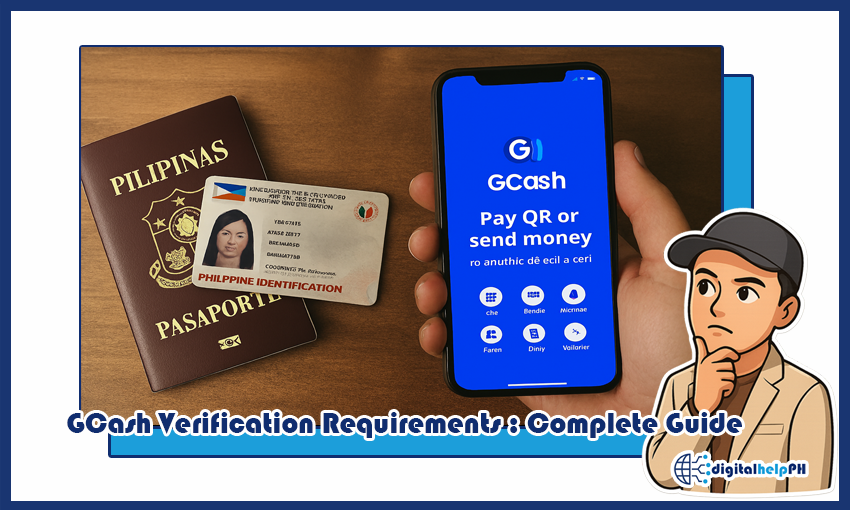
You will need a valid Philippine government-issued ID to complete Full GCash verification requirements. Here are the commonly accepted IDs:
- Philippine Passport
- Driver’s License
- Unified Multi-Purpose ID (UMID)
- PhilHealth ID
- Postal ID
- PRC ID (Professional Regulation Commission)
- SSS ID (for adults)
- Other government-issued IDs with photo and signature
Tip: Make sure your ID is valid and not expired. Take a clear photo and follow the GCash app guidelines for upload.
Account Verification via App
Follow these steps to submit your documents and complete verification (screenshots can be added later):
- Open your GCash app and log in with your mobile number.
- Tap on your profile or the “Verify Now” button in the app.
- Choose the type of verification: Full Verification.
- Upload a valid ID and take a selfie as instructed.
- Submit the verification request and wait for confirmation. Status updates will appear in the app.
Common Errors or Restrictions
Some users encounter verification issues. Here’s what to watch out for:
- Blurry or incomplete ID photos: Make sure the entire ID is visible and clear.
- Incorrect personal details: Name, birthdate, or ID number must match the ID exactly.
- Selfie issues: Poor lighting, hats, or glasses can cause rejection.
- Expired ID: Always use a valid and current ID.
- Account mismatch: Ensure your mobile number matches the ID registration details if applicable.
Following these tips will reduce the chance of your verification being rejected.
How to Verify Your GCash Account Step-by-Step
Now that you know the requirements, here’s a clear step-by-step guide to completing your GCash verification successfully in 2025.
Step 1: Open the GCash App & Log In
- Launch the GCash app on your smartphone.
- Log in using your registered mobile number and MPIN.
- Ensure your app is updated to the latest version to avoid errors.
Step 2: Access the Verification Section
- Tap on your profile or the “Verify Now” button on the home screen.
- Select Full Verification to start the process.
- Read the instructions carefully before proceeding.
Step 3: Submit Required Documents
- Choose a valid Philippine ID from the list of accepted IDs if one of GCash verification requirements.
- Take a clear photo of the front and back of your ID according to app guidelines.
- Double-check that your personal details match exactly with the ID.
Step 4: Take a Selfie for Verification
- Follow the on-screen instructions to take a selfie.
- Ensure proper lighting, no hats or sunglasses, and your face is fully visible.
- This selfie will be matched to your ID for identity confirmation.
Step 5: Submit & Check Verification Status
- Once you’ve uploaded your ID and selfie, tap Submit.
- You’ll see a confirmation screen indicating your request has been sent.
- Verification usually takes a few minutes to a few hours; status updates appear in the app.
- If rejected, follow the tips in the “Common Problems” section to correct and resubmit.
Tips for a Smooth Verification
- Ensure your mobile number is active and accessible for OTPs.
- Use a stable internet connection to prevent upload failures.
- Follow the app instructions exactly to avoid rejection.
- Check that your ID is valid and not expired.
Common Problems During Verification & How to Fix Them
Even with careful preparation, some users encounter issues during verification. Here’s how to solve the most common problems:
Verification Rejected
- Blurry or incomplete ID photos: Retake photos ensuring the ID is fully visible and clear.
- Incorrect personal details: Make sure your name, birthdate, and ID number match exactly.
- Expired ID: Use a valid and current Philippine ID.
- Selfie issues: Remove hats, glasses, or anything covering your face; ensure proper lighting.
OTP Not Received
- Check mobile signal and ensure your number is active.
- Wait a few minutes and request a new OTP if needed.
- Restart the app or your phone if the OTP still doesn’t arrive.
App Errors During Submission
- Update your GCash app to the latest version.
- Clear cache or reinstall the app if it keeps crashing.
- Ensure a stable internet connection when submitting documents.
Tips to Complete Verification Faster
- Prepare your valid ID and a good selfie before starting.
- Submit verification during off-peak hours for faster processing.
- Use a supported device with a good camera.
- Check for app updates before starting the verification process.
Frequently Asked Questions (FAQs)
How long does GCash verification take?
Verification usually takes a few minutes to a few hours, depending on your submitted GCash verification requirements and app traffic.
Can I verify without a Philippine ID?
Full verification requires a valid Philippine ID. Basic verification allows limited features without an ID.
What happens if my verification fails?
You can resubmit your documents after correcting any errors. Follow the app guidelines carefully.
Is verification free?
Yes, completing verification in the GCash app is completely free.
Can minors verify their accounts?
Yes, GCash Jr accounts can be verified with parental consent and by following the app’s instructions.
Conclusion
Completing your GCash verification requirements in 2025 is essential for safe and seamless digital transactions. Follow the steps outlined in this guide, prepare your documents, and troubleshoot any issues using the tips provided. Once verified, you’ll enjoy higher limits, improved security, and full access to all GCash features.
Ready to verify your GCash account? Open your GCash app now and follow the steps above. For more guides on e-wallets and digital banking in the Philippines, check out our other articles.
